Yandex.Metrika
Hawash Dental LabKiryat Tiv'on

Text size

052-370-3206
Tip from the lab

3Shape and exocad in the lab.

Two leading digital systems in dental technology. This is how we work with them, from the scan to the finished piece.

5 min readBy Khaled Hawash
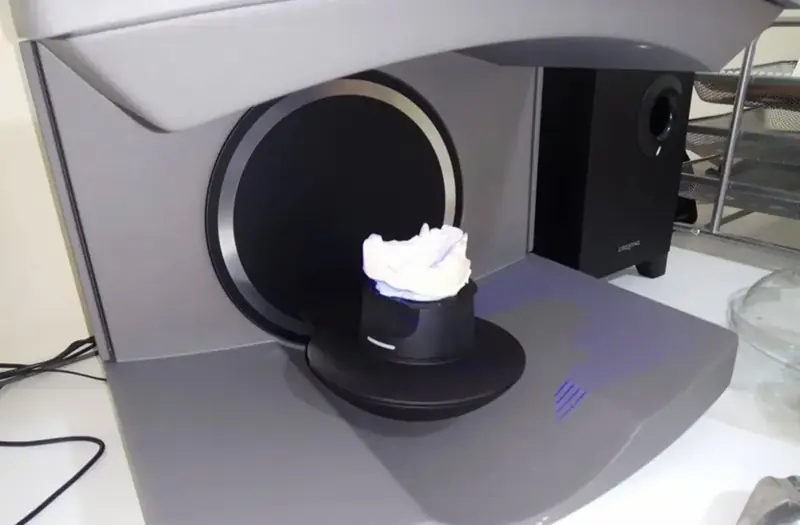
3Shape scanner in the lab, with a model inside

Two tools, one job.

The lab works with both 3Shape and exocad. We choose the right tool for each job, and files move between them in open formats like STL.

3ShapeA Danish company

The lab scanner and design software

The scanner measures the plaster model and builds a 3D model from it. In 3Shape's software we design crowns, bridges and implant work directly on the scan.

Model scanningCrowns and bridgesImplant workIntraoral scan files
exocadA German company

DentalCAD design software

Very flexible software for designing teeth. It accepts files from different scanners and gives precise control over the shape, contacts and thickness of every piece.

Anatomical designTooth librariesLong-span bridgesImplant planning

Step one: the scan.

The 3Shape lab scanner is a box with cameras and lights. The plaster model, cast from the dentist's impression, goes inside, and the scanner photographs it from every angle as it turns.

From thousands of measured points, a 3D model is built on the computer: every tooth, every margin and every gap, exactly as in the mouth. The work is planned on that model.

Plaster model Digital model
Scanning0%

From scan to design on screen.

This is how a crown is designed in the software, step by step. The same workflow in 3Shape and in exocad.

3Shape · exocadToo strongLight contactJust rightcrown.stl

Scan. The model is scanned in 3Shape, or a file arrives from the clinic's intraoral scanner. The result is an accurate 3D model of the mouth.

The first in Israel, here with us.

In 2017 a 3Shape E-series scanner arrived at the lab, the first of its kind in Israel. Since then every job goes through digital planning, alongside the handwork that hasn't changed.

The post from that day on Facebook

How it helps a dental technician.

The software doesn't replace the technician. It gives him a more accurate measurement, and the ability to plan before the work starts.

Crowns and bridgesThe tooth's shape is designed on the computer over the scanned model, so you can see in advance how it will sit.
Implant workThe implant's position is measured precisely, so the structure on top sits without tension.
Bite checkBoth jaws are scanned together and we check on the computer how they close.
Files from the clinicClinics with an intraoral scanner send a digital file, and we carry on straight from it.
An archive of every jobEvery model is saved. If something needs to be remade or repaired, the data is already here.
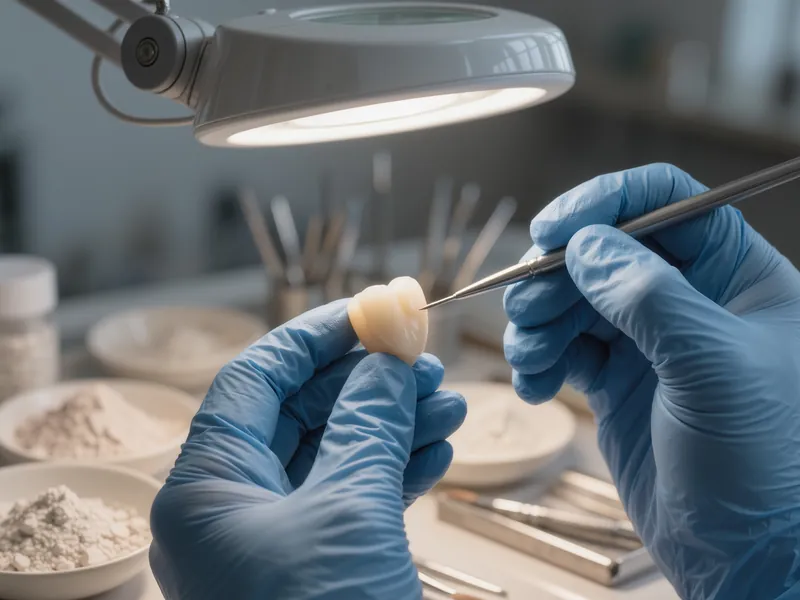
And the hand still finishes itShade, texture and polish are done by hand, under magnification.

What this means for you.

A better measurement at the start means fewer adjustments at the end, and work that sits comfortably from the very first time.

Precise fitClosed margins and a correct bite, because everything is measured, not estimated.
Less waitingDigital planning shortens steps and helps us keep to the times set with the dentist.
Easy to remakeIf a piece breaks or you need another one, the scan is already saved.
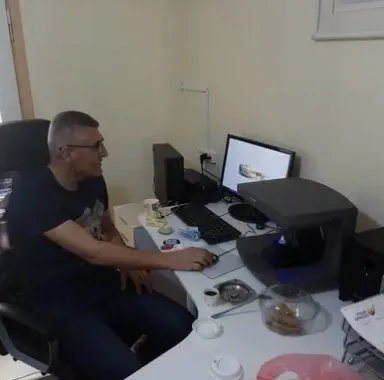
Khaled Hawash at the computer and scanner in the lab
Khaled in the lab

Talk to Khaled,
in your language.

Hebrew, Arabic, English, French and Hungarian. Call or message on WhatsApp and ask anything before you start.